

 Search
Search
[{{{type}}}] {{{reason}}}
{{/data.error.root_cause}}
{{{_source.title}}} {{#_source.showPrice}} {{{_source.displayPrice}}} {{/_source.showPrice}}
{{#_source.showLink}} {{/_source.showLink}} {{#_source.showDate}}{{{_source.displayDate}}}
{{/_source.showDate}}{{{_source.description}}}
{{#_source.additionalInfo}}{{#_source.additionalFields}} {{#title}} {{{label}}}: {{{title}}} {{/title}} {{/_source.additionalFields}}
{{/_source.additionalInfo}}How To Safely Move Your Gaming Setup Without Breaking Anything
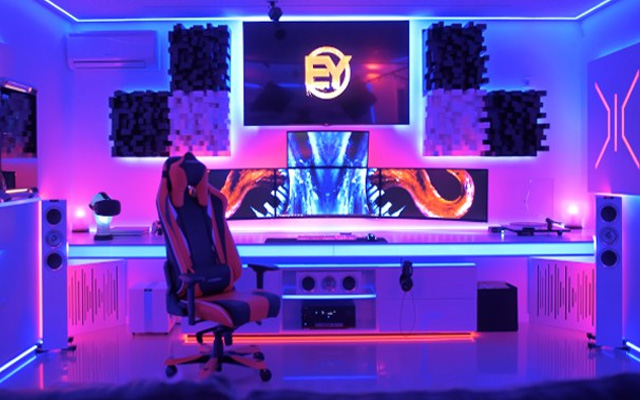
A good gaming setup can take years to build. Between the PC or console, monitors, controllers, speakers, desk accessories, and the small mountain of cables hiding behind everything, there is a lot that can get damaged during a move. The last thing you want is to arrive at your new place, plug everything in, and discover a cracked screen or a graphics card that has been knocked loose.
Fortunately, a little preparation goes a long way. Here is how to move your gaming setup without turning moving day into a very expensive side quest.
Back Everything Up First
Before unplugging anything, back up important files, game saves, screenshots, and other data. Cloud storage can make this easy, but an external drive gives you an extra layer of protection. Even if your hardware arrives in perfect condition, accidents and unexpected technical problems can happen. Having a recent backup means one less thing to worry about.
Take Photos Before Disconnecting Cables
If the back of your PC looks like a bowl of electronic spaghetti, take a few photos before pulling the cables out. These pictures can be surprisingly useful when you are rebuilding your setup. You can also label cables with tape so you immediately know which monitor, speaker, console, or accessory they belong to. Just make sure to coil each cable loosely rather than bending it tightly, then store related cables together in labeled bags.
Protect Your PC Internally
Desktop gaming PCs need a little more attention than most electronics because heavy components can move around during transit. If you have a particularly large graphics card, consider removing it and packing it separately in an anti-static bag. The same may apply to other large internal components. If you are not comfortable taking your PC apart, use internal packing material designed specifically for transporting computers.
Ideally, place the tower in its original box with the original foam inserts. If you no longer have them, use a sturdy box with plenty of protective padding. You can pick this up in most hardware stores or online.
Pack Monitors As Fragile Items
Gaming monitors are among the easiest parts of a setup to damage. Remove the stand where possible and cover the screen with a soft, clean layer before adding bubble wrap or other padding. However, try to avoid placing pressure directly on the display, and never pack heavy items on top of a monitor box.
Again, the original packaging is usually your best option. If that disappeared into the garage several upgrades ago, a dedicated TV or monitor moving box can be a worthwhile replacement.
Think About the Rest of the Move Too
Your gaming setup might be precious cargo, but it is only one part of a larger relocation. Planning the bigger items early can leave you more time to concentrate on delicate electronics. For example, if you are relocating across the country and need to transport cars to Portland, arranging vehicle transportation ahead of time could remove a major logistical job from your moving-day checklist. The fewer things you are trying to coordinate at once, the easier it is to give fragile equipment the attention it deserves.
Keep Essential Gaming Gear With You
If possible, personally carry smaller expensive items such as handheld consoles, controllers, headsets, hard drives, and laptops rather than loading them into a moving truck. Once everything arrives, inspect your equipment before reconnecting it. Check the PC case, monitor screens, ports, and internal components for visible damage.
Then rebuild your battle station carefully, power everything up, and enjoy the most important part of moving into a new home: deciding exactly where the gaming desk should go.
When you subscribe to the blog, we will send you an e-mail when there are new updates on the site so you wouldn't miss them.
About the author

Follow Us!


-
Verse of the Day - Isaiah 26:3
You will keep in perfect peace him whose mind is steadfast,
...
Donate
Please consider supporting our efforts. Since we're a 501 C3 Non-Profit organization, your donations are tax deductible.
Join Our Discord

Who's Online
We have 12677 guests and no members online
Comments